



To translate a website to Portuguese, first decide whether you are targeting Brazil, Portugal or both, because vocabulary, spelling and tone differ between them. Then publish the Portuguese version on its own URL (for example /pt-br/) and translate the pages with a translation tool or a translator. Have a native speaker review the pages that sell, and localize prices, payment methods and SEO metadata. Add hreflang tags (pt-BR, pt-PT) so Google shows each audience the right version.
Each step is covered below, along with the Brazil and Portugal differences that trip people up and three ways to do the translation.
Key takeaways
- Portuguese is one of the most-used languages on the web. W3Techs puts it at 4.1% of websites whose content language it can identify, sixth after English, Spanish, German, Japanese and French (W3Techs, September 2026).
- Pick one variant per audience. Brazilian and European Portuguese differ in everyday vocabulary, some spellings, grammar and tone.
- Give each variant its own URL and hreflang code:
pt-BRfor Brazil,pt-PTfor Portugal, or plainptif you publish one version for everyone. - Localize more than the text: currency (R$ or €), number formats, payment methods such as Pix in Brazil and MB WAY in Portugal, and legal pages.
- For most sites, machine translation plus native review of the main pages is the sensible balance.
Step 1: choose Brazilian or European Portuguese (or both)
Brazil is by far the largest Portuguese-speaking market. If you sell in Portugal or to Portuguese-speaking Africa, though, European Portuguese is the better fit there. Decide by where your traffic and customers come from rather than by which variant is bigger.
You have three options:
| Approach | When it fits | Hreflang |
|---|---|---|
| Brazilian Portuguese only | Most of your Portuguese-speaking traffic is from Brazil | pt-BR (or pt if it is your only Portuguese version) |
| European Portuguese only | You sell mainly in Portugal | pt-PT (or pt) |
| Both | You have real demand in both markets and can maintain two versions | pt-BR and pt-PT, plus one of them as pt if you want a fallback |
If you publish only one Portuguese version, Brazilian readers will understand European Portuguese and vice versa. Picking the “wrong” variant won’t stop people understanding you. The site will just feel foreign, and it will convert worse.
Step 2: know the differences that matter on a website
| Brazil (pt-BR) | Portugal (pt-PT) | |
|---|---|---|
| Mobile phone | celular | telemóvel |
| Screen | tela | ecrã |
| Bus | ônibus | autocarro |
| Train | trem | comboio |
| Breakfast | café da manhã | pequeno-almoço |
| Contact (noun) | contato | contacto |
| Fact | fato | facto |
| ”I am doing” | estou fazendo | estou a fazer |
| Addressing the reader | você is the normal, friendly form | tu is informal; formal copy often avoids the pronoun or uses você sparingly |
| Currency | Real, written R$ 1.234,56 | Euro, usually written 1234,56 € |
Both variants write dates day first (27/09/2026) and use a comma as the decimal separator. Spelling was partly unified by the 1990 Orthographic Agreement, but differences like contato/contacto remain, and a spell checker set to the wrong variant will “correct” your text in the wrong direction.
For interface text, check the words customers click most. Carrinho (cart) is common in both, but terms for checkout, accounts and shipping vary. Put your choices in a glossary so every page uses the same terms.
Step 3: give Portuguese its own URL
Search engines index URLs. The Portuguese version needs its own address. A translation that appears only after a script runs or a cookie is set will not do. The usual options:
- A subfolder, such as
example.com/pt-br/. This is the simplest and keeps everything on one domain. - A subdomain, such as
br.example.com. - A country domain, such as
example.com.br. It sends the strongest country signal and takes the most maintenance.
Then add hreflang tags so every page lists its Portuguese and other-language equivalents, including itself, plus an x-default. Our hreflang language codes list has the exact codes, and the complete hreflang guide shows how to check them.
Step 4: translate the content (three ways)
Option A: professional human translation
A native translator produces the most natural text and is the right choice for your homepage, pricing, legal pages and campaigns.
- You get the best quality and tone, and idioms and marketing copy are handled properly.
- It is slow and costly for large sites, and every later change needs another round.
- Give the translator your glossary and a note on tone (for example “informal, você, Brazilian spelling”).
Option B: free browser or public translation tools
Tools that translate a page on the fly in the visitor’s browser are fine for reading. They are no good for publishing a Portuguese website.
- The translated text usually has no URL of its own, so it cannot rank in Google.
- You cannot correct mistakes or enforce brand terms.
- Metadata, image alt text and structured data typically stay in the original language.
Option C: a website translation tool (machine translation plus editing)
A website translation tool machine-translates every page, publishes it on a Portuguese URL, keeps it in sync as your site changes, and lets you edit any sentence.
- It is fast, covers the whole site including metadata, and stays up to date.
- Machine output still needs review on the pages where mistakes cost you.
- The approach that works: machine-translate everything, then have a native speaker review the pages that bring traffic and revenue. See our translation quality workflow for how to organize the review.
Step 5: localize the buying experience
Translation makes you understood. Getting paid takes localization:
- Show prices in BRL in Brazil and EUR in Portugal where you can actually charge in that currency, and use the local number format.
- Offer the payment methods people expect. In Brazil that means Pix (the Central Bank’s instant payment system) and boleto bancário. In Portugal, MB WAY and Multibanco references are common. Card-only checkouts lose buyers in both.
- Brazilian shoppers often expect to pay in installments (parcelamento), so say clearly whether you offer it.
- Brazilian checkouts often ask for a CPF (individual taxpayer number) and use the CEP postcode. Portugal uses a seven-digit postcode and the NIF tax number on invoices.
- Privacy notices should reflect Brazil’s LGPD or the EU’s GDPR, whichever applies.
- Say which languages support is available in, and in which time zone.
Step 6: Portuguese SEO
- Research keywords in Portuguese, separately for each variant. As the table above shows, the Brazilian and European terms for the same product often differ.
- Translate titles, meta descriptions and image alt text, since these are what searchers see first.
- Translate structured data (product names, FAQ answers) so rich results appear in Portuguese.
- A few weeks after launch, check indexing in Search Console by filtering on the
/pt-br/folder and on country (Brazil, Portugal).
Our guide on translating SEO keywords for different audiences walks through the process.
Step 7: test before and after launch
- Read the homepage, a product page and the checkout in Portuguese on a phone. Portuguese text often runs longer than English, so check buttons and menus.
- Place a test order and read every email you send.
- Ask a native speaker from the target country to do a five-minute “does this feel local?” review.
- After launch, compare conversion rate on the Portuguese version with your original language.
How to translate your website to Portuguese with ConveyThis
ConveyThis supports Portuguese, plus Portuguese (Brazil) and Portuguese (Portugal) as separate languages, so you can publish one version or both. Setup takes four steps:
- Create an account and add your website, or install the plugin or app for your platform (WordPress, Shopify, Webflow, Wix and more; see all integrations).
- Choose your source language and add Portuguese (Brazil), Portuguese (Portugal) or both.
- Choose the URL structure: subfolders, subdomains or
?lang(second-level domains are available on the Extreme plan). Hreflang tags are added automatically. - Review your key pages in the visual editor, add your glossary terms (for example celular vs telemóvel), and invite a reviewer with a team role.
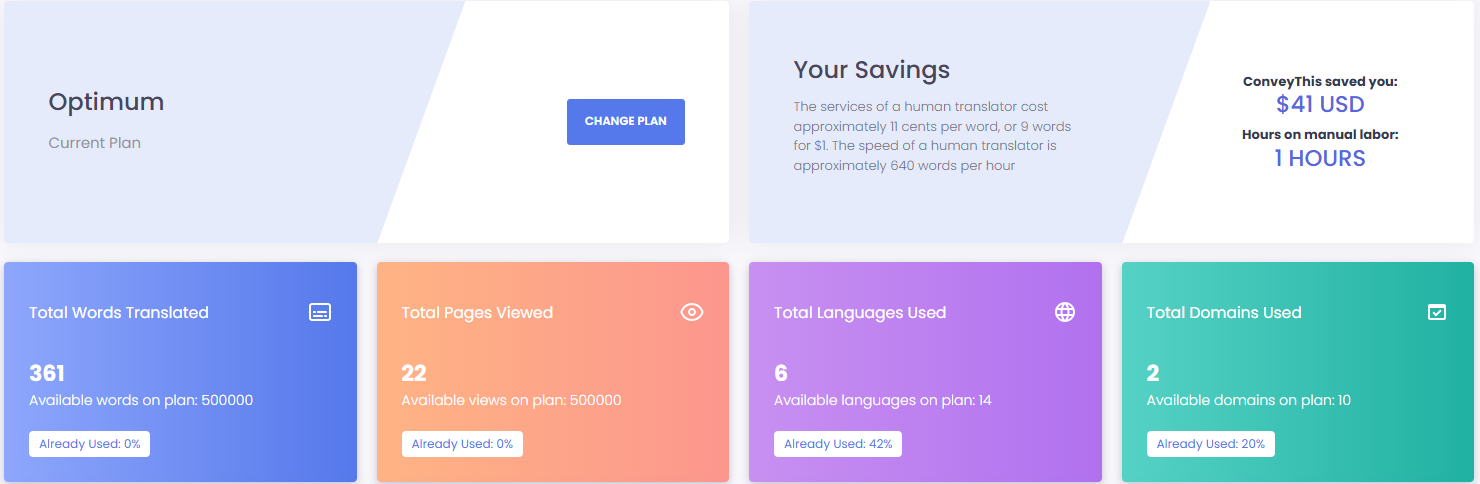
Page titles, meta descriptions and JSON-LD are translated along with the visible text, and translation memory reuses approved sentences across pages. Words are counted only when translated content is shown to visitors, and bots do not count. The Free plan covers one language and 5,000 words; see pricing for larger sites.
Frequently asked questions
Should I use Brazilian or European Portuguese for my website? Use the variant of the market you sell to. If most Portuguese-speaking visitors are from Brazil, use Brazilian Portuguese. If you sell mainly in Portugal, use European Portuguese. If both markets matter, publish both with pt-BR and pt-PT hreflang tags.
Can Google Translate translate my website into Portuguese? It can show a visitor a machine translation in their browser, but that version has no URL of its own, so it will not rank in Google, and you cannot edit it. For a Portuguese site that ranks and converts, publish translated pages on their own URLs.
What hreflang code should I use for Portuguese? pt-BR for Brazil, pt-PT for Portugal, or pt for a single version aimed at all Portuguese speakers.
How long does it take to translate a website into Portuguese? With a website translation tool, a first machine-translated version can be live the same day. Budget extra time for native review of your most important pages.
To start reaching Portuguese-speaking customers, translate your site with ConveyThis.












;fill-opacity:1;'%20d='M%2019.511719%2039.964844%20C%208.304688%2039.964844%200%2031.289062%200%2020.324219%20L%200%2020.230469%20C%200%209.363281%208.160156%200.46875%2019.847656%200.46875%20C%2027.023438%200.46875%2031.320312%202.878906%2034.847656%206.375%20L%2029.519531%2012.492188%20C%2026.59375%209.820312%2023.59375%208.179688%2019.800781%208.179688%20C%2013.390625%208.179688%208.761719%2013.53125%208.761719%2020.085938%20L%208.761719%2020.203125%20C%208.761719%2026.757812%2013.273438%2032.203125%2019.800781%2032.203125%20C%2024.144531%2032.203125%2026.808594%2030.46875%2029.808594%2027.722656%20L%2035.136719%2033.121094%20C%2031.199219%2037.335938%2026.855469%2039.964844%2019.511719%2039.964844%20'/%3e%3cpath%20style='%20stroke:none;fill-rule:nonzero;fill:rgb(26.274511%25,42.352942%25,94.901961%25);fill-opacity:1;'%20d='M%2035.878906%200.0351562%20L%2044.136719%200.0351562%20L%2044.136719%2039.867188%20L%2035.878906%2039.867188%20Z%20M%2035.878906%200.0351562%20'/%3e%3cpath%20style='%20stroke:none;fill-rule:nonzero;fill:rgb(26.274511%25,42.352942%25,94.901961%25);fill-opacity:1;'%20d='M%2059.472656%2016.15625%20C%2056.039062%2016.15625%2053.808594%2018.613281%2053.160156%2022.375%20L%2065.617188%2022.375%20C%2065.113281%2018.664062%2062.953125%2016.15625%2059.472656%2016.15625%20M%2073.535156%2027.578125%20L%2053.28125%2027.578125%20C%2054.097656%2031.335938%2056.710938%2033.3125%2060.40625%2033.3125%20C%2063.191406%2033.3125%2065.183594%2032.445312%2067.464844%2030.300781%20L%2072.191406%2034.492188%20C%2069.480469%2037.867188%2065.566406%2039.941406%2060.289062%2039.941406%20C%2051.527344%2039.941406%2045.070312%2033.769531%2045.070312%2024.832031%20L%2045.070312%2024.710938%20C%2045.070312%2016.347656%2051%209.480469%2059.472656%209.480469%20C%2069.191406%209.480469%2073.65625%2017.074219%2073.65625%2025.363281%20L%2073.65625%2025.457031%20C%2073.65625%2026.300781%2073.609375%2026.808594%2073.535156%2027.578125%20'/%3e%3cpath%20style='%20stroke:none;fill-rule:nonzero;fill:rgb(26.274511%25,42.352942%25,94.901961%25);fill-opacity:1;'%20d='M%2089.375%2039.796875%20L%2081.863281%2039.796875%20L%2070.390625%2010.324219%20L%2079.152344%2010.324219%20L%2085.679688%2029.914062%20L%2092.257812%2010.324219%20L%20100.847656%2010.324219%20Z%20M%2089.375%2039.796875%20'/%3e%3cpath%20style='%20stroke:none;fill-rule:nonzero;fill:rgb(26.274511%25,42.352942%25,94.901961%25);fill-opacity:1;'%20d='M%20111.550781%2016.15625%20C%20108.121094%2016.15625%20105.886719%2018.613281%20105.238281%2022.375%20L%20117.695312%2022.375%20C%20117.191406%2018.664062%20115.03125%2016.15625%20111.550781%2016.15625%20M%20125.617188%2027.578125%20L%20105.359375%2027.578125%20C%20106.175781%2031.335938%20108.792969%2033.3125%20112.488281%2033.3125%20C%20115.246094%2033.3125%20117.265625%2032.445312%20119.542969%2030.300781%20L%20124.273438%2034.492188%20C%20121.558594%2037.867188%20117.648438%2039.941406%20112.367188%2039.941406%20C%20103.609375%2039.941406%2097.152344%2033.769531%2097.152344%2024.832031%20L%2097.152344%2024.710938%20C%2097.152344%2016.347656%20103.078125%209.480469%20111.550781%209.480469%20C%20121.273438%209.480469%20125.734375%2017.074219%20125.734375%2025.363281%20L%20125.734375%2025.457031%20C%20125.734375%2026.300781%20125.6875%2026.808594%20125.617188%2027.578125%20'/%3e%3cpath%20style='%20stroke:none;fill-rule:nonzero;fill:rgb(26.274511%25,42.352942%25,94.901961%25);fill-opacity:1;'%20d='M%20143.566406%2018.757812%20C%20138.070312%2018.757812%20134.710938%2022.085938%20134.710938%2029.074219%20L%20134.710938%2039.867188%20L%20126.457031%2039.867188%20L%20126.457031%2010.613281%20L%20134.710938%2010.613281%20L%20134.710938%2016.519531%20C%20136.390625%2012.46875%20139.128906%209.867188%20144%2010.085938%20L%20144%2018.757812%20Z%20M%20143.566406%2018.757812%20'/%3e%3c/g%3e%3c/svg%3e)




;fill-opacity:1;'%20d='M%20144.558594%2039.894531%20L%20155.4375%209.839844%20C%20155.4375%209.839844%20147.28125%209.839844%20139.121094%2011.515625%20L%20128.867188%2039.894531%20Z%20M%20142.675781%201.78125%20L%20140.585938%207.539062%20C%20148.738281%205.863281%20156.902344%205.863281%20156.902344%205.863281%20L%20158.992188%200.105469%20C%20158.992188%200.105469%20150.832031%200.105469%20142.675781%201.78125%20M%2085.980469%2032.773438%20C%2090.898438%2033.71875%2095.914062%2034.136719%20101.039062%2034.136719%20C%20106.375%2034.136719%20110.140625%2032.984375%20110.554688%2029.320312%20C%20110.765625%2027.640625%20109.089844%2026.382812%20106.167969%2024.707031%20C%20102.816406%2022.824219%2099.894531%2021.878906%2096.960938%2019.886719%20C%2094.03125%2017.898438%2092.78125%2014.859375%2093.71875%2011.507812%20C%2094.871094%207.636719%2097.585938%205.4375%20101.664062%203.34375%20C%20106.480469%200.9375%20110.242188%20-0.0078125%20119.550781%20-0.0078125%20C%20125.40625%20-0.0078125%20131.054688%200.515625%20136.597656%201.667969%20L%20134.609375%207.113281%20C%20129.691406%206.167969%20124.675781%205.75%20119.550781%205.75%20C%20114.214844%205.75%20110.453125%206.90625%20110.035156%2010.570312%20C%20109.828125%2012.246094%20111.5%2013.503906%20114.425781%2015.179688%20C%20117.773438%2017.066406%20120.695312%2018.011719%20123.628906%2020%20C%20126.558594%2021.988281%20127.808594%2025.027344%20126.871094%2028.378906%20C%20125.71875%2032.253906%20123.003906%2034.449219%20118.925781%2036.542969%20C%20114.113281%2038.949219%20110.347656%2039.894531%20101.039062%2039.894531%20C%2095.183594%2039.894531%2089.535156%2039.375%2083.992188%2038.21875%20Z%20M%2062.34375%2039.894531%20L%2071.441406%2014.867188%20C%2074.476562%206.488281%2063.390625%209.527344%2060.875%2011.515625%20C%2058.890625%2012.984375%2055.332031%2016.441406%2054.078125%2020.105469%20L%2046.859375%2040%20L%2031.175781%2040%20L%2040.273438%2014.867188%20C%2043.308594%206.488281%2032.222656%209.527344%2029.710938%2011.515625%20C%2027.722656%2012.984375%2024.167969%2016.441406%2022.910156%2020.105469%20L%2015.691406%2040%20L%200.0078125%2040%20L%2014.441406%200.105469%20C%2019.464844%200.105469%2022.179688%201.257812%2024.375%203.457031%20C%2025.207031%204.289062%2025.734375%205.339844%2026.046875%206.496094%20C%2028.980469%204.714844%2031.589844%203.351562%2033.371094%202.726562%20C%2036.613281%201.46875%2040.691406%200.105469%2045.714844%200.105469%20C%2050.734375%200.105469%2053.453125%201.257812%2055.644531%203.457031%20C%2056.480469%204.289062%2057.007812%205.339844%2057.320312%206.496094%20C%2060.25%204.714844%2062.863281%203.351562%2064.640625%202.726562%20C%2067.886719%201.46875%2071.964844%200.113281%2076.984375%200.113281%20C%2082.007812%200.113281%2084.722656%201.265625%2086.917969%203.464844%20C%2089.21875%205.660156%2089.113281%209.742188%2088.28125%2012.050781%20L%2078.027344%2039.902344%20L%2062.34375%2039.902344%20Z%20M%2062.34375%2039.894531%20'/%3e%3c/g%3e%3c/svg%3e)

;fill-opacity:1;'%20d='M%202.453125%209.882812%20L%202.453125%2012.851562%20L%207.304688%2012.851562%20L%2016.800781%2030.734375%20L%2028.488281%2030.734375%20L%2037.980469%2012.824219%20L%2042.832031%2012.792969%20L%2042.84375%209.882812%20L%2028.328125%209.882812%20L%2028.328125%2012.804688%20L%2032.195312%2012.804688%20L%2025.488281%2025.515625%20L%2018.234375%2012.847656%20L%2023.527344%2012.824219%20L%2023.515625%209.882812%20Z%20M%2096.097656%209.882812%20L%2096.097656%2012.851562%20L%20100.949219%2012.851562%20L%20110.445312%2030.734375%20L%20122.128906%2030.734375%20L%20131.625%2012.824219%20L%20136.476562%2012.792969%20L%20136.484375%209.882812%20L%20121.972656%209.882812%20L%20121.972656%2012.804688%20L%20125.835938%2012.804688%20L%20119.132812%2025.515625%20L%20111.878906%2012.847656%20L%20117.167969%2012.824219%20L%20117.160156%209.882812%20Z%20M%2072.222656%209.882812%20L%2072.222656%2012.851562%20L%2077.078125%2012.851562%20L%2077.082031%2027.453125%20L%2071.96875%2027.453125%20L%2071.96875%2030.707031%20L%2077.085938%2030.734375%20L%20101.3125%2030.734375%20L%20101.3125%2021.027344%20L%2098.15625%2021.027344%20C%2097.984375%2026.167969%2093.542969%2027.457031%2091.675781%2027.457031%20C%2089.960938%2027.457031%2086.640625%2027.453125%2086.640625%2027.453125%20L%2086.640625%2012.847656%20L%2091.417969%2012.824219%20L%2091.410156%209.882812%20Z%20M%2055.890625%209.285156%20C%2047.644531%209.285156%2040.960938%2014.214844%2040.960938%2020.292969%20C%2040.960938%2026.375%2047.644531%2031.304688%2055.890625%2031.304688%20C%2064.136719%2031.304688%2070.824219%2026.375%2070.824219%2020.292969%20C%2070.824219%2014.214844%2064.136719%209.285156%2055.890625%209.285156%20Z%20M%2055.675781%2028.0625%20C%2052.769531%2028.0625%2050.414062%2024.566406%2050.414062%2020.25%20C%2050.414062%2015.933594%2052.769531%2012.4375%2055.675781%2012.4375%20C%2058.582031%2012.4375%2060.941406%2015.933594%2060.941406%2020.25%20C%2060.941406%2024.566406%2058.582031%2028.0625%2055.675781%2028.0625%20Z%20M%20149.539062%208.921875%20C%20141.289062%208.921875%20134.605469%2013.933594%20134.605469%2020.113281%20C%20134.605469%2026.292969%20141.289062%2031.300781%20149.539062%2031.300781%20C%20157.78125%2031.300781%20164.46875%2026.292969%20164.46875%2020.113281%20C%20164.46875%2013.933594%20157.78125%208.921875%20149.539062%208.921875%20Z%20M%20149.324219%2028.007812%20C%20146.417969%2028.007812%20144.0625%2024.453125%20144.0625%2020.066406%20C%20144.0625%2015.679688%20146.417969%2012.125%20149.324219%2012.125%20C%20152.230469%2012.125%20154.585938%2015.679688%20154.585938%2020.066406%20C%20154.585938%2024.453125%20152.230469%2028.007812%20149.324219%2028.007812%20Z%20M%20149.324219%2028.007812%20'/%3e%3c/g%3e%3c/svg%3e)





