
How to Upgrade Your ConveyThis Plan
Upgrading your ConveyThis plan
You can move to a larger plan at any time, from the Free plan or from one paid plan to another.
Follow these steps:
Access Upgrade Options
Click Change Plan at the top of your dashboard.
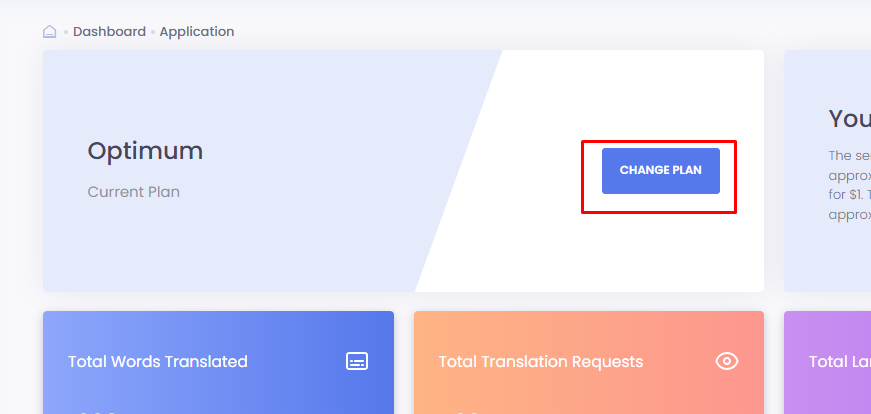
Alternatively, visit the subscription page at https://app.conveythis.com/dashboard/pricing/
Choose Your Plan
Paid Plan: Keep your integrations and features, and enjoy a higher monthly translation limit.
Payment Options: Choose between a monthly rate or a discounted annual rate.
Free Plan: Translates up to 5,000 words into one language on one website.
Visit our plans comparison page for more information on available options and choose the plan that best fits your website’s needs!
Select Plan
Choose your desired plan and click the Choose Plan button.

Review and Confirm
On the confirmation page, review your current plan and the new plan.
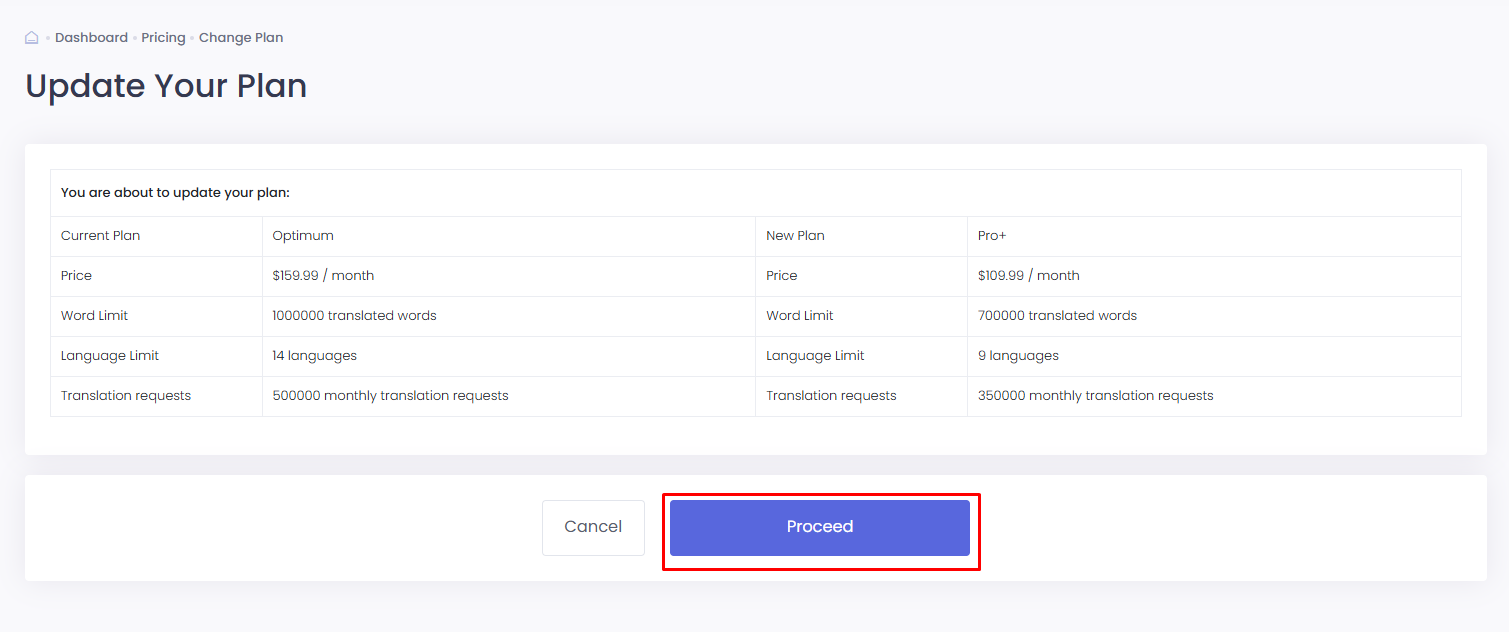
Set overages for credit usage:
- Disable Auto-upgrade: Stop translating new words when the limit hits.
- Enable Auto-upgrade: Continue translating new words on your website when the quota is reached.
Billing Information
If you already have a card on file, it will appear in the Billing Details section.
To add or change the card, click Edit Billing Details.
- Enter your credit card information, country, and postal/zip code.
- Agree to the Terms and Conditions and acknowledge the Privacy Policy before saving the card.
- Note: ConveyThis does not store your credit card information in-house; it is securely stored with our payment processor, Paddle or Stripe.
Finalize Your Change
Click Confirm Plan Change at the bottom of the screen to finalize your upgrade.
Your new plan applies immediately.